Owlpane / Solutions / Incident investigation
Use cases · built on OpenTelemetryFrom the alert to the cause, without switching tools.
When something breaks, the alert, the failing requests, the release that shipped before it and the log lines written during those requests are already linked. Ask a question in plain language and keep what you found as an investigation.
The problem
Why this is hard today
Five tabs per incident
Metrics in one tool, traces in another, logs in a third — and the timestamps never line up.
Which change did it?
The alert tells you something is wrong, not which deploy made it wrong.
Findings evaporate
The root cause lives in a chat thread and has to be rediscovered next time.
What you use
Built from features that ship today
Incident timeline
Deploys, alerts, uptime results and markers on one axis, so the change nearest the failure is visible first.
Alerting & SLOs →
Errors tied to releases
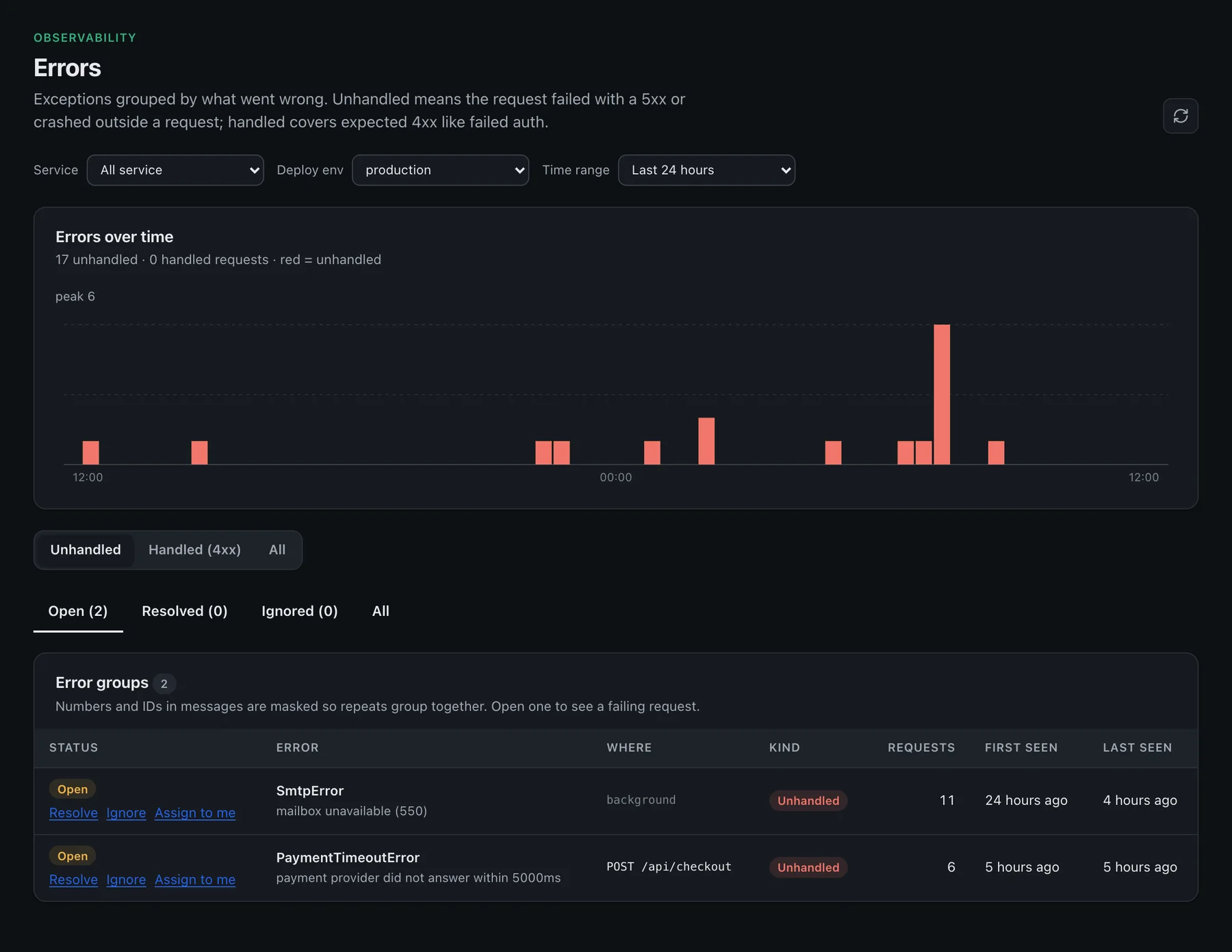
Exceptions grouped by what went wrong and split into unhandled and handled, each with a sample trace that reproduces it.
APM & tracing →
Release comparison
Each deployed version compared with the one before it: did errors or response times get worse, and which errors did it introduce?
APM & tracing →
Logs
Lines written during a request link to that request, so you read the logs of the failing call, not of the whole service.
Logs →Ask
Ask in plain language. The charts under the answer are the same aggregates as the rest of the console.
AI & MCP →Investigations
Save notes, console links and search URLs as a board for the incident or the root-cause write-up.
AI & MCP →How it works
Three steps
Alert
A rule fires once — in Slack, Teams, PagerDuty, Opsgenie or email — and once more when it resolves.
Narrow
Open the incident timeline: which release, which route, which error group started it.
Prove
Open a sample trace and the log lines written during it. Save the evidence as an investigation.
Questions
Does Owlpane find the root cause automatically?
What data does Ask look at?
Can my own AI agent read this?
Where Owlpane is narrower
- Ask is search-driven rather than an autonomous agent, and nothing is remediated for you.
- Escalation policies and on-call rotations stay in PagerDuty or Opsgenie.
More use cases
Related solutions



Send a copy of your telemetry. Change nothing else.
Standard OpenTelemetry in, so you can try Owlpane beside what you run today.
Every new workspace starts with a 14-day Team trial: 50 GB of ingest a month and 30-day retention. No card to start. Documentation · Pricing · Pricing questions