Owlpane / Products / APM & tracing
Applications · built on OpenTelemetryEvery request, end to end — traces, errors, jobs and releases in one place.
OpenTelemetry traces from any language, tied to the errors, database queries, background jobs and deploys that explain them. Follow a slow request from the route handler to the SQL that caused it.
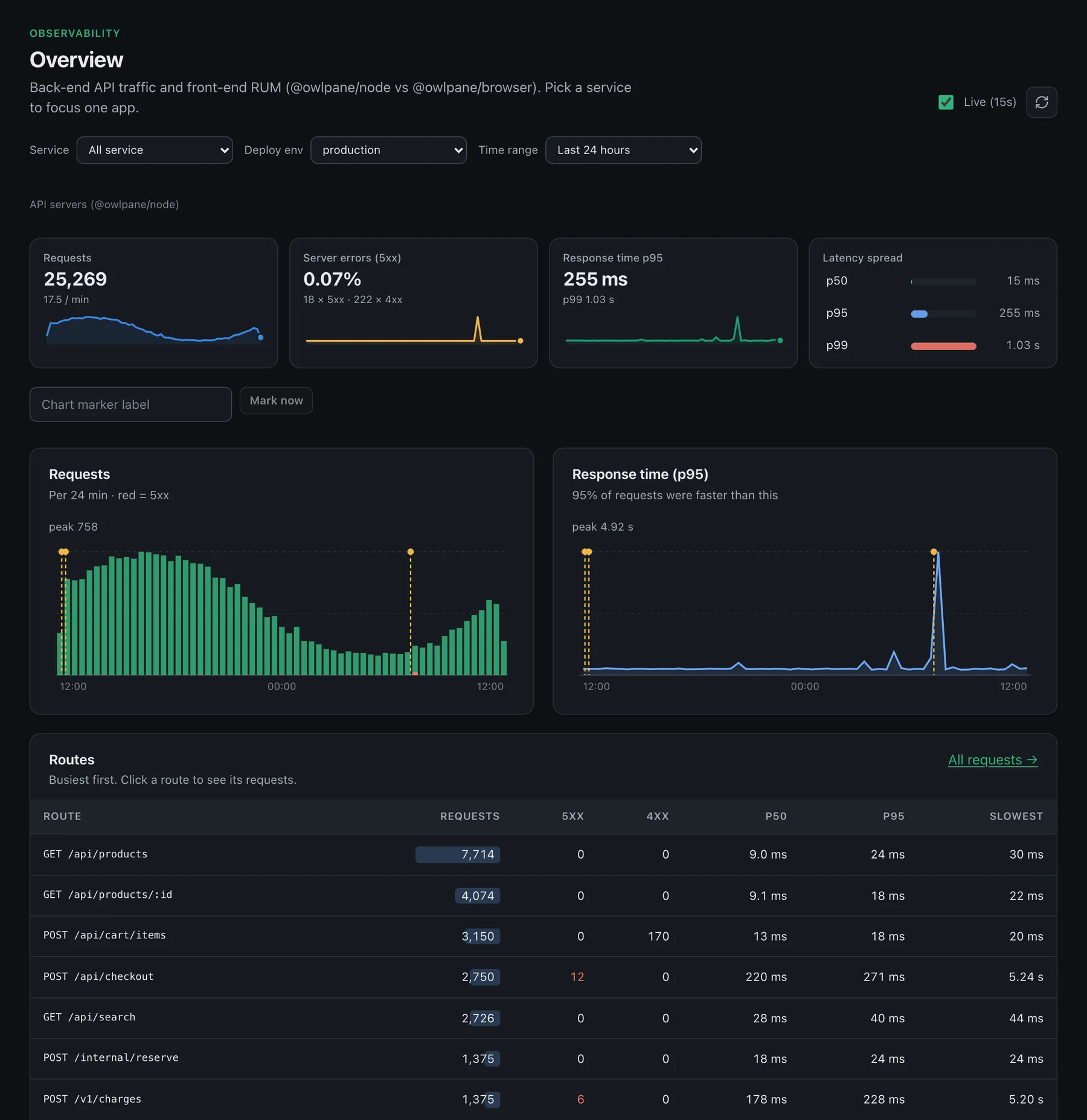
- Overview
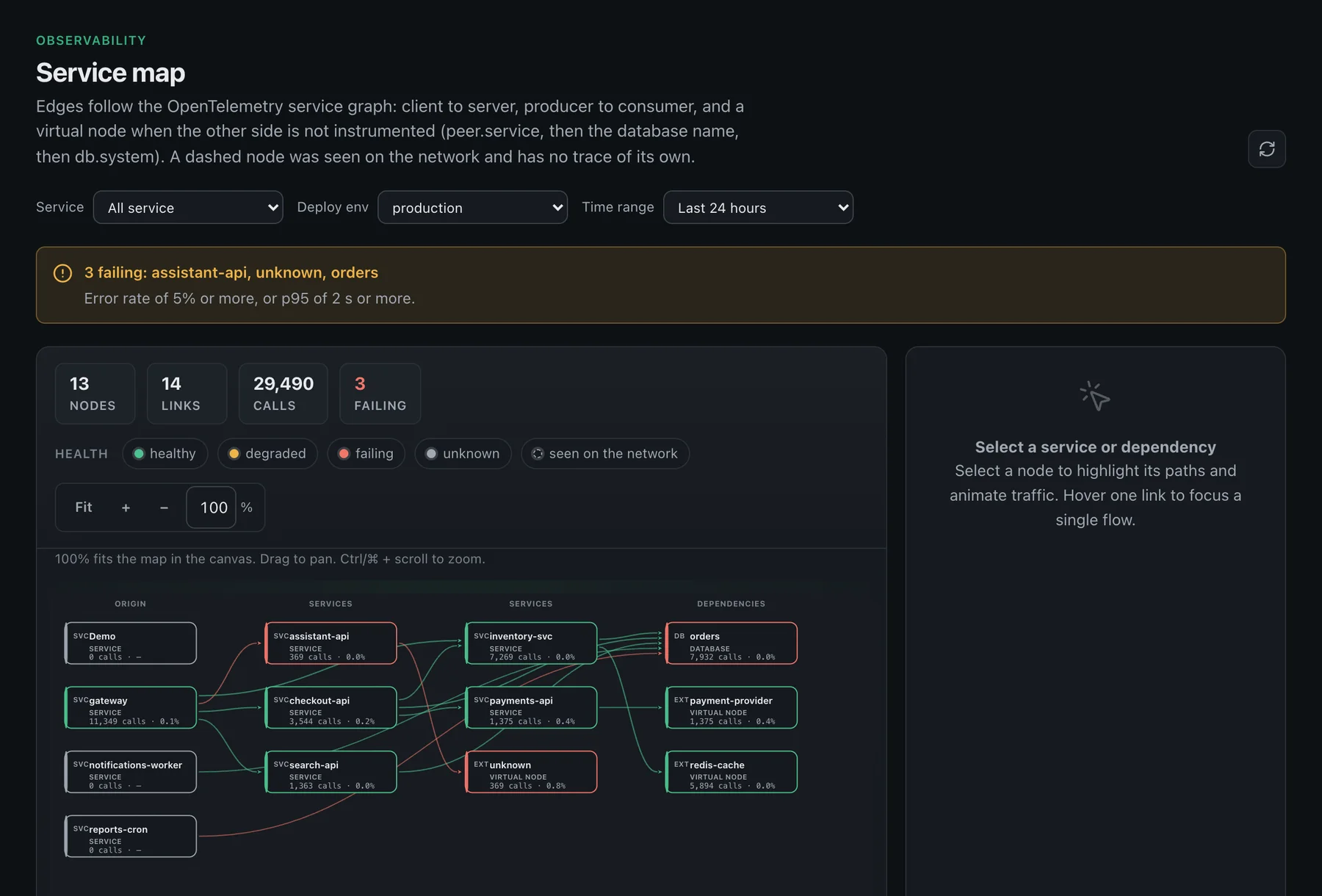
- Service map
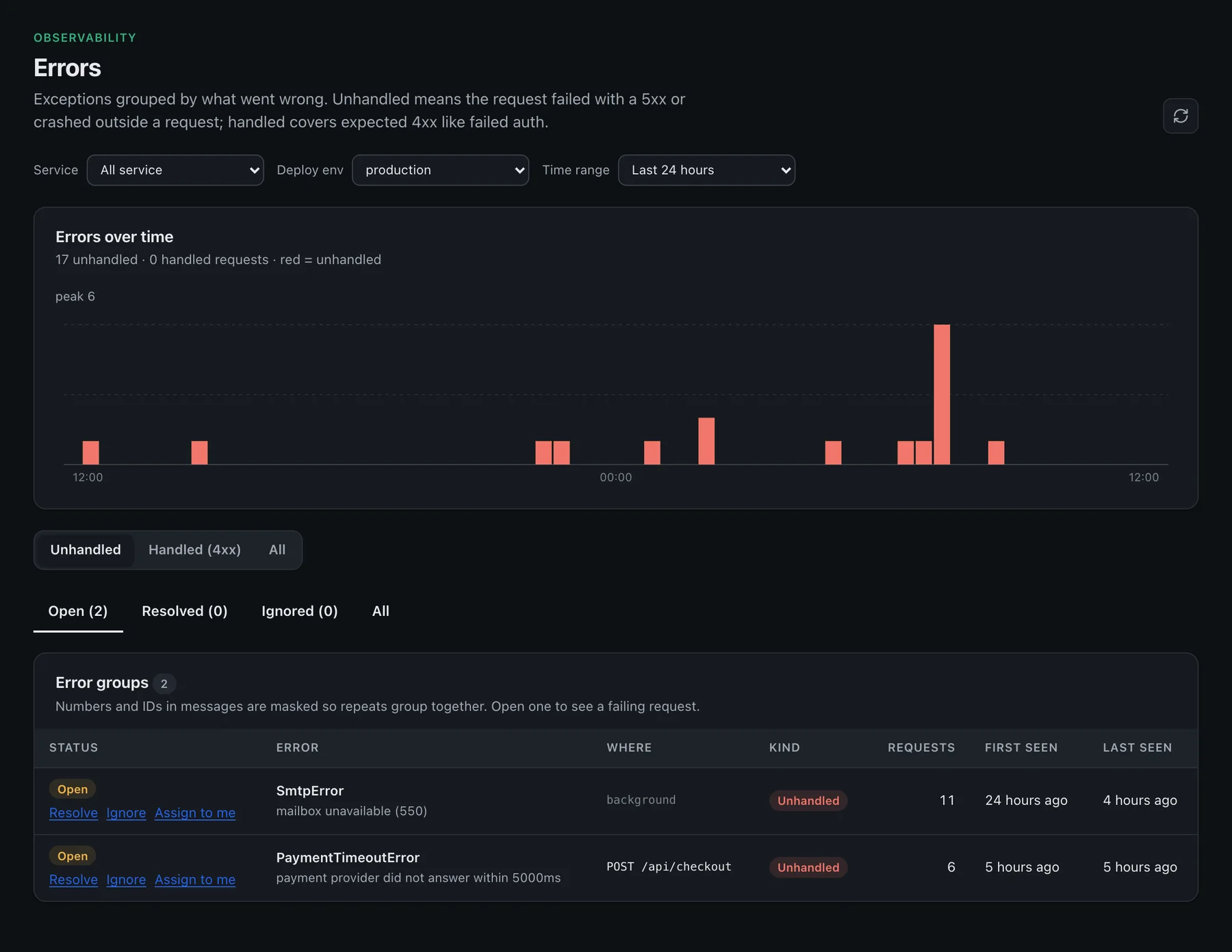
- Errors
What you get
Application performance, in detail

Requests and spans
The full waterfall — route handler, database queries, outgoing calls and background work — in one trace. Filter requests by duration, status or any attribute.

Service map
Edges follow the OpenTelemetry service graph: client to server, producer to consumer. Uninstrumented dependencies appear as virtual nodes named from peer.service, the database name or db.system.

Errors tied to releases
Exceptions grouped by what went wrong, split into unhandled (5xx or crashes) and handled (expected 4xx), each with a sample trace that reproduces it.

Release comparison
Each deployed version compared with the one before it: did errors or response times get worse, and which errors did it introduce? Releases are marked on charts.

Jobs and queues
Scheduled tasks and queue workers as their own runs (NestJS @Cron/@Interval and BullMQ with one install line, any other job through owlpane.job()) — how often they ran, how long they took, which failed — with recent runs one click away.
Database queries
Database calls seen on client spans, per service, so a slow query is one click from the request that issued it.

User activity
Accounts seen on requests (enduser.id on server spans, set with owlpane.setUser() or the NestJS interceptor), so you can debug per customer.

Runtime views
Filtered RED metrics for Node.js, Java, Python, Ruby and React Native services; serverless (faas.name spans) and GPU (gpu.utilization) views.
Profiler
Node process CPU, memory and event-loop lag from @owlpane/node; real-user page performance from @owlpane/browser.
How it works
From zero to data in three steps
Instrument
Add the SDK for Node or NestJS, or point any OpenTelemetry exporter at the ingest URL. No proprietary agent.
Ingest
Spans land in your tenant-isolated cell, scrubbed of tokens and secrets before storage.
Investigate
Every chart and card opens the matching requests, errors, logs or traces.
import { owlpane } from "@owlpane/node";

owlpane.start({
  service: "payments-api",
  release: process.env.GIT_SHA,
});

// every request, query and outgoing call
// is now traced.
How it compares
Honest about where we are today
Comparable to
Where Owlpane is narrower
- Instrumentation is OpenTelemetry — there is no OneAgent-style automatic discovery of every process on a host.
- Continuous profiling is lighter than dedicated profilers (Pyroscope, Polar Signals).
- Front-end error depth is thinner than Sentry; session replay is in beta.
Comparisons reflect publicly available information as of September 2026 and our own product today, and may change. Datadog, New Relic, Grafana, Dash0, Better Stack, Amazon CloudWatch, AWS, Sentry, Dynatrace, Kubeshark, Checkly, PagerDuty, SigNoz, Kubernetes, OpenTelemetry, Prometheus and other names are trademarks of their respective owners; Owlpane is not affiliated with or endorsed by them.
More from Owlpane
Everything shares one pane
Try APM & tracing beside what you run today.
Standard OpenTelemetry in, so you can send a copy and compare. Nothing proprietary to migrate away from later.
Every new workspace starts with a 14-day Team trial: 50 GB of ingest a month and 30-day retention. No card to start. Documentation · Pricing · Pricing questions