The carbon cost of every service, endpoint and job.
Owlpane Carbon turns the telemetry you already send into energy and CO₂e per service, per endpoint and per background job — measured where hardware counters exist, estimated from published factors where they do not, with the uncertainty shown on every figure.
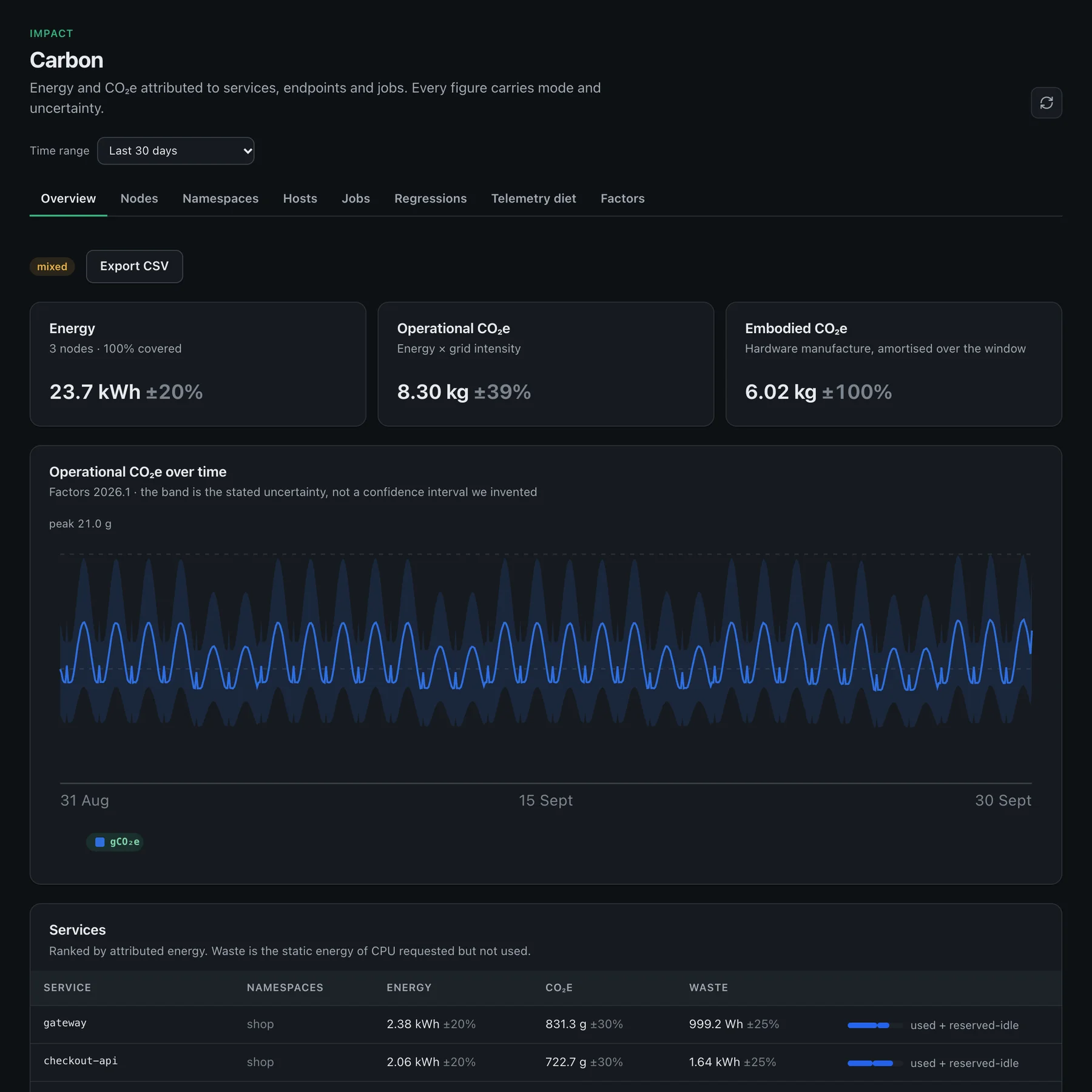
What you get
Carbon & energy, in detail

Per service, endpoint and job
Energy and CO₂e attributed from node to pod to service to request, following the ISO-standardised Software Carbon Intensity method (ISO/IEC 21031:2024). Version 1 is duration-weighted — the bias is stated on the figure, not hidden.

Regression alerts
Each service is compared with the previous equal window. When its energy or CO₂e rises past your threshold (20% by default) an alert fires, so a heavier deploy surfaces while it is fresh, not in a quarterly report. A window comparison, not a per-deploy attribution.

Waste separated from work
Reserved-but-idle capacity is reported as its own figure with the workloads responsible, not silently spread across everyone’s footprint.
Measured or estimated, always labelled
Hardware counters (RAPL via Kepler or Scaphandre) where they exist; published power coefficients where they do not. Every figure carries its mode, factor-set version and uncertainty band.
Carbon-aware timing
Grid intensity by hour (hourly for EU zones where ENTSO-E data is available) shows when the grid is cleaner. Hints only — Owlpane does not schedule your workloads.
Telemetry diet
How much telemetry you keep and the storage energy it implies — monitoring’s own footprint, as an order-of-magnitude estimate rather than a measurement.
How it works
From zero to data in three steps
Instrument
The same OpenTelemetry traces and the same Kubernetes agent you already run — no second pipeline, no proprietary agent.
Attribute
Node energy is split across pods, services and requests; grid intensity comes from ENTSO-E (hourly) where available, otherwise annual averages, from a versioned factor table.
Act
Right-size over-reserved workloads, fix the endpoint that regressed, shift the batch job — then check the next window to see whether the number moved.
How it compares
Honest about where we are today
Comparable to
Where Owlpane is narrower
- Cloud billing carbon (CCFT, GCP Carbon Footprint) is out of scope — we attribute from OpenTelemetry and node metrics, not monthly invoices.
- Version 1 attributes request energy by duration, not per-span CPU time — endpoints that mostly wait on I/O are over-credited, and the UI says so.
- Estimated mode on virtual machines is less accurate than measured mode on bare metal; every figure shows its uncertainty.
- Metered hardware validation on your cluster is recommended before you treat numbers as operational targets — see the published methodology.
Comparisons reflect publicly available information as of September 2026 and our own product today, and may change. Datadog, New Relic, Grafana, Dash0, Better Stack, Amazon CloudWatch, AWS, Sentry, Dynatrace, Kubeshark, Checkly, PagerDuty, SigNoz, Kubernetes, OpenTelemetry, Prometheus and other names are trademarks of their respective owners; Owlpane is not affiliated with or endorsed by them.
More from Owlpane
Everything shares one pane
Carbon ships in the console today.
Turn on the agent or SDK on your services, set a grid zone in Setup, and open Impact → Carbon. Need help onboarding a fleet? We will walk through readiness with you.
Every new workspace starts with a 14-day Team trial: 50 GB of ingest a month and 30-day retention. No card to start. Documentation · Pricing · Pricing questions